Fomo for Beginners 2026: Your First Crypto Trade in Minutes
Pros
✓ No seed-phrase wall to get started — sign in with Apple or Google and you are inside the app in under a minute.
✓ Gasless, multichain trading — no need to buy a native gas token on each network first.
✓ Fund from $25 with Apple Pay, with $50/$100/$250 presets alongside it.
✓ $0 fee on the first buy, so the first trade costs nothing beyond the position.
✓ Order fee printed on the buy ticket before you confirm.
✓ Verified / Trending / Most held / Gainers filters give a beginner a sensible place to start.
✓ Key numbers up front — price, market cap, 24H change, volume, liquidity and holders on every token.
✓ Learn from real positions via the leaderboard and feed rather than screenshots.
✓ Self-custody — the assets stay in a wallet you control.
✓ One account on web, iOS and Android, so the phone and the desktop stay in sync.
Cons
• Self-custody model: your assets sit in a wallet you control, so keeping sign-in and recovery details safe is your responsibility.
• Fees vary: trading fees depend on chain, liquidity and order size, with network costs on top — the exact amount is shown on the ticket before you confirm.
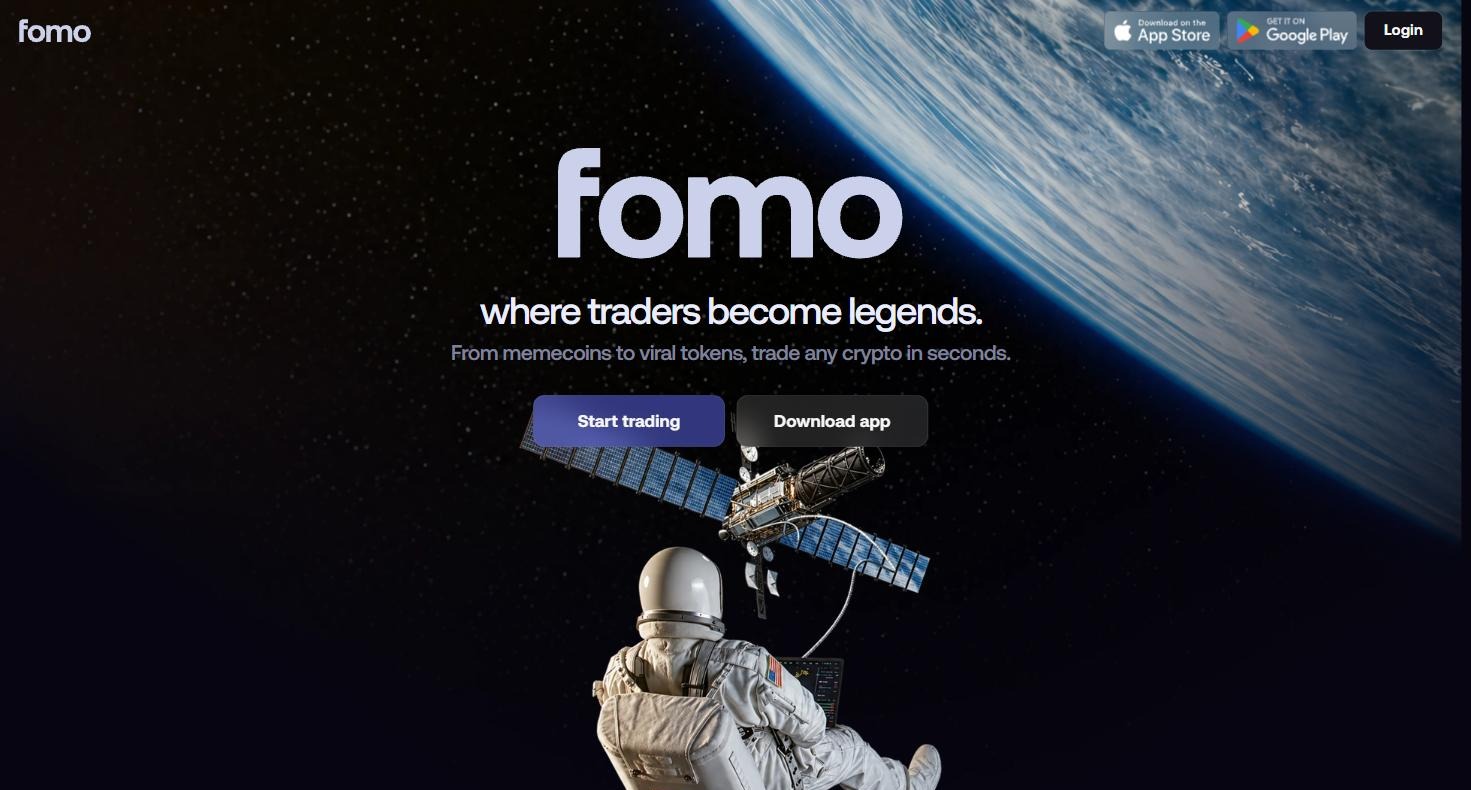
Ask anyone who never got started in crypto what stopped them and you will rarely hear “the charts”. You hear the setup: the seed phrase you must not lose, the gas token you have to buy before you can buy anything else, the bridge, the second app. Fomo for beginners is a much shorter story — sign in, tap a preset, done. This guide is written for a first-timer. It covers exactly what happens from opening the site to owning your first token, what it costs, and how to keep the first week small and sensible. Fomo runs on the web and as an app on iOS and Android — start wherever you are (screenshot from fomo.family)You can open Fomo here on web, or download it from the App Store or Google Play.
Step 1 — Sign in without a seed phrase ceremony
Most wallets open with a page of twelve words and a warning that losing them means losing everything. That is a fair rule, but it is a brutal first screen. Fomo lets you sign in with Apple or Google and be inside the app in well under a minute, so you can look around, read the feed and see what is trading before you commit to anything. Everything you would expect is still there underneath — Fomo is self-custodial, so the assets sit in a wallet you control — but the ceremony is not the first thing standing between you and the product.
Step 2 — Skip the gas-token problem entirely
Here is the step that quietly defeats most beginners on a traditional wallet: before you can buy a token on a chain, you need the chain’s native coin to pay the network fee. Want something on Solana? Get SOL first. Something on Base? Get ETH first. It is a chore before the thing you actually wanted to do. Fomo is multichain and gasless. You are not asked to stock a gas balance on each network before you can transact, which removes an entire category of beginner mistakes — including the classic one of buying a token and then being unable to sell it because there is nothing left to pay fees with.
Step 3 — Fund from $25 with Apple Pay
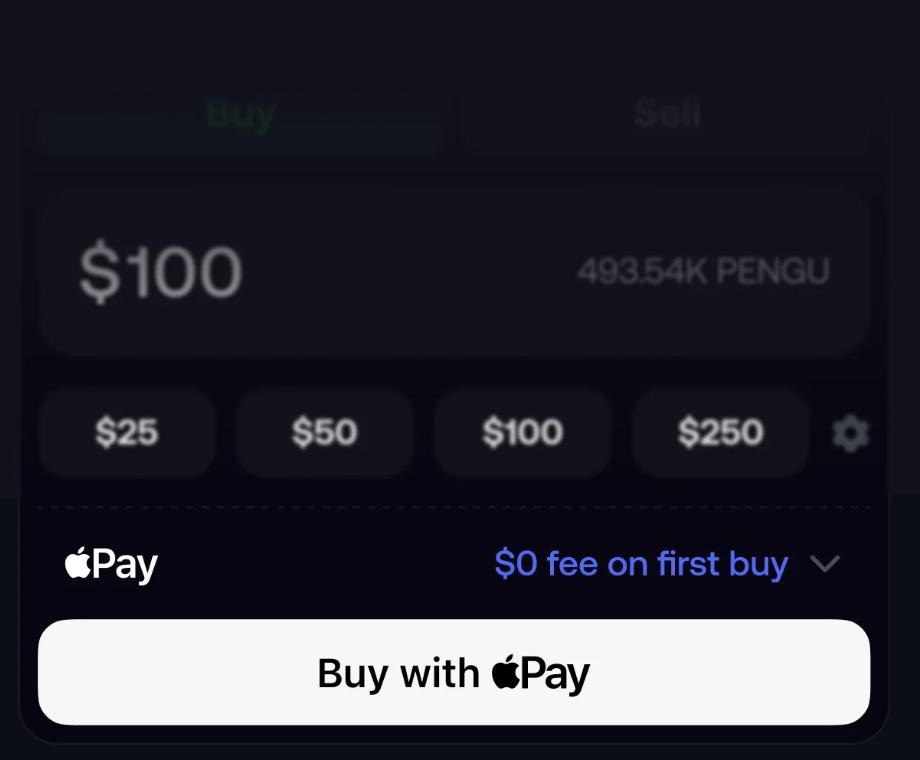
$25, $50, $100 and $250 presets, Apple Pay, and $0 fee on your first buy (screenshot from fomo.family) The buy ticket is deliberately plain. You get $25, $50, $100 and $250 presets, a free-entry box if you want something else, your available balance on the left and — the part that matters for a beginner — the fee for this exact order on the right, before you press the button.
Fund with Apple Pay in one tap, or a card. No wire, no waiting for a transfer to clear.
$0 fee on your first buy, so the very first trade costs you nothing beyond the position itself.
Start at $25. That is a small enough number that the first trade is a lesson rather than an event.
Fees are shown per order and vary with chain, liquidity and size, with network costs on top — nothing is revealed only at the end.
For a first-timer this is the single most reassuring screen in the app: you see what you are paying before you pay it. Open the buy screen for yourself and look at the ticket before funding anything.
Step 4 — Pick something without guessing
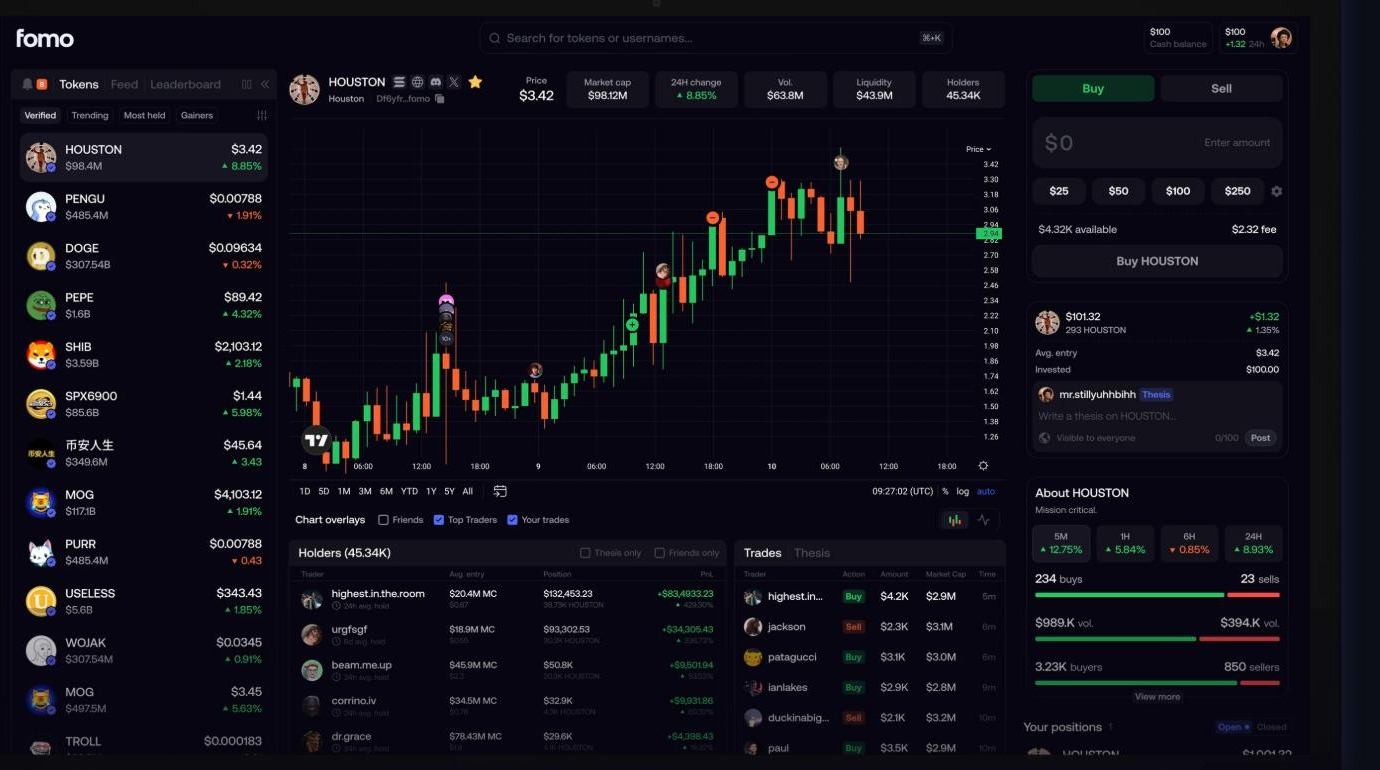
Verified, Trending, Most held and Gainers filters on the left; the buy ticket on the right shows the fee for the order before you confirm (screenshot from fomo.family) “What do I even buy?” is the next wall. Fomo answers it with four filters at the top of the token list:
Verified — start here. It is the shortest list and the safest place for a first trade.
Trending — what is getting attention right now.
Most held — what the platform’s users actually own, which is a very different signal from what is merely being talked about.
Gainers — today’s movers, useful to watch and risky to chase.
Open any token and four numbers sit across the top: Price, Market cap, 24H change, Volume, Liquidity and Holders. As a beginner, read market cap and liquidity before anything else — they tell you how big the thing is and how easily you could get back out of it. A token with thin liquidity can be easy to buy and unpleasant to sell.
Step 5 — Learn by watching people who are already good
The advantage a beginner has on Fomo that they do not have on a normal exchange is company. Every trader’s performance is on-chain, so the leaderboard is a ranked list of people worth watching, and the feed shows their actual positions — token, side, size and the market cap they bought at — instead of a screenshot. Follow a handful of them and your first weeks stop being guesswork. You see what a real entry looks like, what size a professional takes, and — the part nobody posts on social media — when they sell. Our Fomo social trading guide walks through how to pick who to follow and how to set up alerts; for the wider feature tour, see the full Fomo review.
Step 6 — Keep it in your pocket
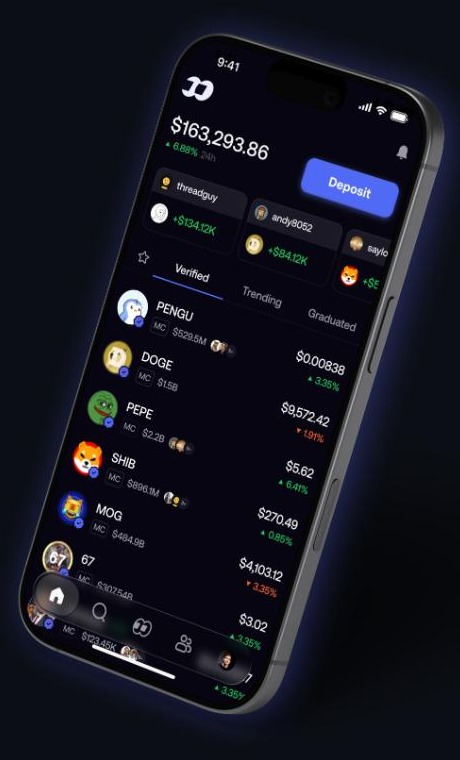
The same account on mobile — balance, positions, a one-tap Deposit and the Verified list (screenshot from fomo.family) Web, iOS and Android are one account. Open a trade on your phone on the bus and look at it properly on a full chart at home. For a beginner the phone matters most, because the app is where the alerts land and where you can check a position in ten seconds instead of opening a laptop.
A sensible first week
Day 1 — sign in and look. Do not fund anything. Read the feed, open the leaderboard, get used to where things are.
Day 2 — fund $25. Use the first buy while the fee is $0. Pick something from the Verified list.
Day 3 — write down why. One sentence: why you bought it and what would make you sell. This habit is worth more than any indicator.
Day 4 — follow five traders whose position sizes look like yours, not the biggest name on the board.
Day 5 — turn on alerts for those five only, so notifications stay useful.
Day 6 — sell something. Even at a small profit or a small loss. Knowing you can get out is the point of the exercise.
Day 7 — review. Compare your note from day 3 with what actually happened, then decide whether to add another $25.
Nothing in that week requires you to be right. It requires you to be small, and Fomo makes small easy. Day 1 costs nothing: create the account, look around, and decide afterwards whether you want to fund it at all.
Who this suits
Complete beginners who have wanted to try crypto but stalled at wallet setup.
People who trade on their phone and do not want a desktop-first product.
Anyone starting with a small budget — $25 is a real starting size here, not a rounding error.
Curious watchers who follow traders on social media and would rather see the actual position than a screenshot of one.
Returning users who tried a traditional wallet once, got stuck on gas, and gave up.
Custody, fees and risk — the facts
Fomo is operated by FOMO Labs Inc. and is self-custodial: your assets stay in a wallet you control rather than on a company balance sheet. The flip side of that is ordinary and worth saying plainly — keeping your sign-in and recovery details safe is your job, exactly as with any non-custodial wallet. Trading fees vary with chain, liquidity and order size and network costs apply on top; the fee for each order appears on the buy ticket before you confirm, and the first buy is free. App availability and the tokens listed can differ by country and app store. Risk warning: crypto prices are volatile and you can lose money, up to the full amount you put in. Memecoins in particular can move very sharply in both directions. Trade only with money you can afford to lose, keep early positions small, and treat anything on a leaderboard or feed as information to research rather than advice to act on.
Verdict
As a first crypto app, Fomo removes the three things that usually stop beginners before they start: the seed-phrase wall, the gas-token prerequisite and the opaque fee. In their place you get an Apple sign-in, a $25 preset, a $0 fee on the first buy, a fee printed on the ticket and a Verified list to pick from — plus a leaderboard and feed that let you learn from people who are already good at this. It is, as the company puts it, a trading app for the rest of us, and 500,000 traders have signed up. Start your first trade on Fomo with $25 and keep the first week small. Rating: 4.7/5
Beginner FAQ
Do I need a crypto wallet before I start?
No. Sign in with Apple or Google and the self-custody wallet is created for you. Your assets stay under your control.
What is the smallest amount I can start with?
The buy ticket offers a $25 preset, and you can type a custom amount. The first buy carries a $0 fee.
Do I need SOL or ETH to pay gas?
No. Fomo trades multichain and gasless, so you do not have to stock a native token on each network first.
How do I know what a trade will cost?
The fee for that order is displayed on the buy ticket next to your available balance, before you press confirm.
Can I use it on a computer?
Yes. Web, iOS and Android share one account, so you can open a trade on the phone and manage it on a desktop chart.
Is my money held by the company?
No — it is a self-custody model, so the assets sit in a wallet you control. Protect your sign-in and recovery details accordingly.